01CAPTURE
The past is your playground.
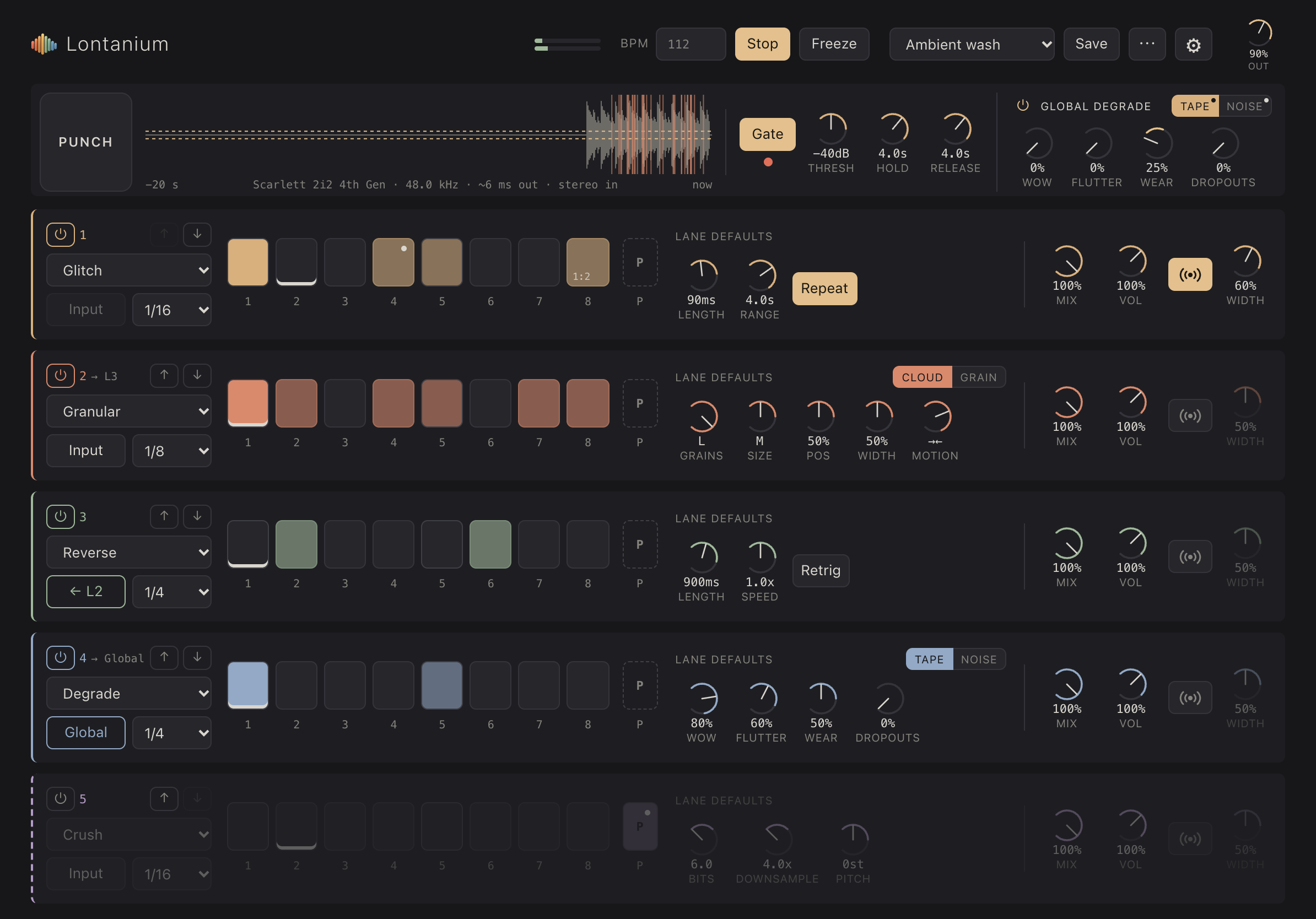
A rolling 20-second buffer turns what you just played into material. Freeze a moment, or let Gate keep the notes and skip the silence.
 Lontanium
A live effects instrument for iPad. Turn incoming audio into
shifting patterns, granular clouds and beautifully worn-out textures.
Plug in a synth, guitar or drum machine.
Lontanium listens, remembers, and gives you
new ways to play it back.
A rolling 20-second buffer turns what you just played into material. Freeze a moment, or let Gate keep the notes and skip the silence.
Five lanes, each with eight steps and its own timing. Run tight rhythmic cuts or slow-moving layers, with straight divisions and triplets.
Give individual steps their own values. Add probability or cycle conditions for patterns that reveal something different on the next pass.
Mix lanes in parallel, or pipe one into the next. Reverse a granular cloud. Degrade a pitched phrase. Follow the sound somewhere new.
Hold Punch to bring in your chosen effects with dedicated settings. Release to return to the pattern. A moment of chaos, right when you want it.
Visual preview · no audioGive a lane—or the whole mix—the character of worn tape. Drift, flutter, dropouts and noise can become part of the sequence.
From a small shift in perspective
to a sound you barely recognise.
Choose an effect to explore.
Play recent audio backwards, from a quick flicker to an 18-second unravelling. Change speed for a shift in pitch, or let consecutive steps flow into one long reverse.
On its own, in your host,
or with the controls you already know.
Run standalone on iPad or as an AUv3 effect in hosts like AUM. The plugin follows the host’s tempo and transport, and saves its settings with your session.
Use MIDI Learn for lane switches, Punch, gate controls and preset changes. In AUM, mapped controls keep working with the plugin window closed.
Spread places an effect at a random point in the stereo field on each step. Set the width, then balance each lane with its own mix and volume.
Save your lanes, steps, gate and global degradation as a preset. Share preset files, and use the same library in the standalone app and plugin.
Your input.
A different outcome.